
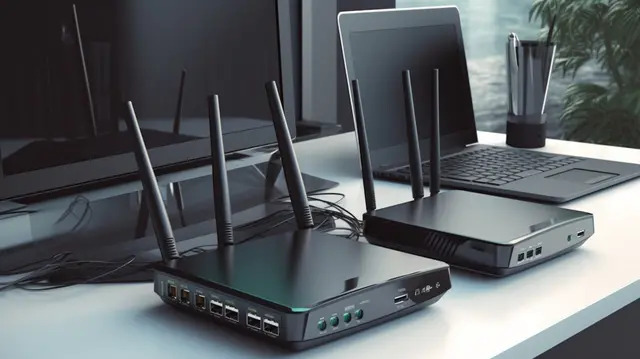
Looking for a fast and reliable internet connection for your home or office requires choosing the right networking equipment. Modern routers can dramatically improve speed, coverage, and stability, making a huge difference for streaming, gaming, and remote work. Many users prefer the TP‑Link WiFi router lineup because these devices combine performance, advanced features, and wide compatibility with multiple devices.In this comprehensive guide, we’ll walk you through the top TP‑Link routers worth considering and how to pick the one that best fits your needs.
Why TP‑Link Routers Are Trusted Globally
TP‑Link has grown into one of the most popular router brands because of:
- Reliable wireless coverage for both small and large spaces
- Easy setup and user‑friendly apps
- Wide range of models for different budgets
- Advanced security and parental controls
- Strong performance for multiple devices simultaneously
These strengths make TP‑Link WiFi routers a go‑to choice for homes, offices, and even gaming setups.
Top TP‑Link WiFi Router Models in 2025
Here are the best TP‑Link WiFi routers available now, divided by user needs:
1. Best for Small to Medium Homes
TP‑Link Archer A7
- Dual‑band Wi‑Fi (2.4 GHz + 5 GHz)
- Good coverage up to ~1,500 sq ft
- Ideal for streaming, browsing & video calls
- Easy parental controls
Why it’s popular: Great balance of performance and price, perfect for everyday use.
TP‑Link Archer AX10 (Wi‑Fi 6)
- Next‑gen Wi‑Fi 6 support
- Better performance for multiple devices
- Improved speed & efficiency
Ideal for users who want future‑ready connectivity without a heavy price tag.
2. Best for Large Homes & Multiple Users
TP‑Link Archer AX50 (Wi‑Fi 6)
- Strong dual‑band coverage
- Great for 4K streaming & heavy web usage
- Enhanced MU‑MIMO & OFDMA technology
Best for: Busy households with many connected devices.
TP‑Link Deco Whole‑Home Mesh System
- Mesh coverage up to 5,500 sq ft (varies by kit)
- Seamless roaming between nodes
- Unified network under one SSID
Perfect for: Large apartments or homes with signal dead zones.
3. Best for Gamers & High‑Performance Users
TP‑Link Archer AX73 (Wi‑Fi 6)
- Ultra‑fast speeds with multiple device support
- Excellent performance for gaming & streaming
- Advanced QoS prioritization for gaming traffic
Best for: Gamers and power users who demand low latency and stable connections.
TP‑Link Archer AX11000
- Tri‑band performance
- Dedicated gaming optimization
- Impressive throughput and extended range
Perfect choice for: Competitive gaming, heavy downloads, and simultaneous HD streams.
Features to Look for in a TP‑Link WiFi Router
When choosing a TP‑Link model, consider the following:
✔ Wi‑Fi Standard
- Wi‑Fi 5 (802.11ac): Good for basic needs
- Wi‑Fi 6 (802.11ax): Better for many devices and future devices
✔ Coverage Area
- Small homes: ~1,000–1,500 sq ft
- Medium/large homes: 2,000+ sq ft
- Consider mesh systems for larger spaces
✔ Device Capacity
- More devices = need for Wi‑Fi 6 with MU‑MIMO & OFDMA
✔ Security
- Built‑in firewalls
- WPA3 encryption
- Parental controls & guest network options
✔ Additional Features
- USB ports (for shared storage)
- QoS prioritization
- Easy mobile app setup
These specs help you match your usage pattern to the right router model.
How to Choose the Best TP‑Link WiFi Router
Here’s a simple buying checklist:
📌 For everyday browsing and 4K streaming:
Choose Archer A7 or similar mid‑range models.
📌 For multiple users and smart home devices:
Pick Wi‑Fi 6 models like Archer AX50 or Deco mesh kits.
📌 For gaming & professional workflows:
Tri‑band routers like Archer AX73 or AX11000 are ideal.
📌 For large spaces:
Go for Mesh systems like TP‑Link Deco to eliminate dead spots.
Benefits of Upgrading to a Modern TP‑Link Router
Upgrading your home or office network with a top TP‑Link WiFi router brings:
- Faster internet speeds for all devices
- Stronger signal range across rooms
- Better support for video calls & streaming
- Smooth gaming experience with less lag
- Enhanced security for connected devices
Modern routers also provide easy mobile setup and regular firmware updates, making them future‑ready.
FAQs
1. What is the best TP‑Link WiFi router for home use?
TP‑Link Archer A7 and Archer AX50 offer excellent performance and value for most homes.
2. Are TP‑Link routers good for gaming?
Yes. Models like Archer AX73 and Archer AX11000 are optimized for gaming with low latency and QoS prioritization.
3. Does TP‑Link offer Wi‑Fi 6 routers?
Absolutely. TP‑Link has multiple Wi‑Fi 6 routers like Archer AX10, AX50, and higher models for improved speed and capacity.
4. Which TP‑Link model is best for large homes?
Mesh systems like TP‑Link Deco provide the best coverage for larger spaces without dead zones.
5. Do TP‑Link routers support parental controls?
Yes. Most modern TP‑Link routers include parental control features in their mobile apps.