
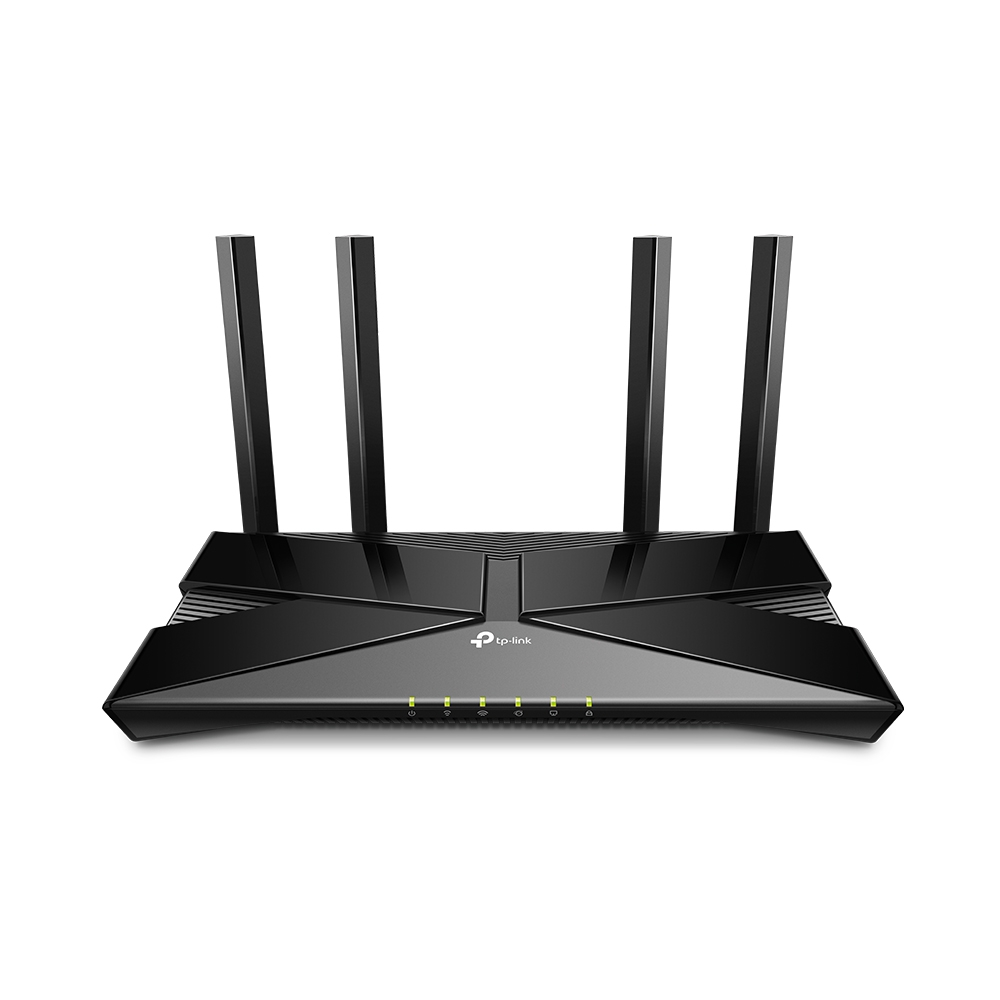
1. Tips for Optimizing TP-Link WiFi Settings for Better Performance
To begin, always understand the capabilities of the router being used. Models differ in terms of speed and supported frequency. A seamless online experience depends heavily on a stable and fast internet connection. Whether it’s competitive gaming or streaming in 4K, a properly optimized TP-Link Wi-Fi router can transform the way devices connect to the internet. Many users purchase high-quality routers but fail to configure them for maximum performance. Without fine-tuning, even the best hardware can deliver underwhelming results.
encies, and device capacity. For example, dual-band routers offer both 2.4 GHz and 5 GHz networks, which can be optimized for different use cases. Streaming services, which demand consistent high bandwidth, work best on the 5 GHz band, while gaming often benefits from lower-latency configurations.
Budget-conscious buyers often look at the TP-Link Wi-Fi router price, but performance also depends on how the device is set up. Even a mid-range router can outperform expensive models if optimized properly. Gamers can enable advanced features like port forwarding to reduce lag, while streamers can prioritize video platforms for smoother playback.
Additional settings, such as beamforming and MU-MIMO (Multi-User, Multiple Input, Multiple Output), improve how the router handles multiple devices simultaneously. These features are especially useful in households where gaming consoles, PCs, and smart TVs are connected at the same time. By digging into the admin interface, users can adjust performance levels, manage device priorities, and reduce latency.
Another way to enhance coverage is by pairing the router with a TP-Link WiFi Extender, which boosts the signal in areas with weak connectivity. Many gamers who face lag spikes due to poor signals find this combination highly effective. Regardless of whether the purchase is made in the Middle East or Asia, including markets like TP-Link Router Dubai or TP-Link UAE, the principle remains the same: optimizing settings ensures consistent performance across gaming and streaming activities.
2. Find the Optimal Placement for Your Router
Placement plays a critical role in how efficiently a TP-Link WiFi router delivers performance. Even if the router is among the best in its category, poor positioning can result in weak signals, high latency, and inconsistent streaming quality. Most users unknowingly place their routers in corners, behind furniture, or near other electronics that interfere with WiFi signals.
The key is to position the router centrally within the home or workspace. Placing it in an elevated location, such as on a shelf, helps distribute signals evenly. Avoid locations with concrete walls, mirrors, or large appliances, as these obstruct signals and reduce effectiveness. For larger homes, routers equipped with mesh networking or a TP-Link WiFi Extender can be deployed to expand coverage.
In markets such as TP-Link UAE and TP-Link Router Dubai, where multi-story villas or larger office spaces are common, optimal placement is especially crucial. Users with multiple floors often benefit from mesh-enabled TP-Link WiFi router models, which eliminate dead zones and maintain high speeds throughout the property.
Another factor is the alignment of antennas. Many TP-Link routers come with adjustable antennas that can be directed for maximum coverage. Positioning one antenna vertically and another horizontally ensures better range for both horizontal and vertical spaces.
Gamers should also ensure that their gaming console or PC is located closer to the router, either via direct Ethernet cable or by minimizing obstacles in the WiFi path. For streamers, uninterrupted video playback depends on a strong signal to the smart TV or streaming device, which again relies on smart router placement.
Whether purchasing in Asia at the TP-Link Wi-Fi router price in India or internationally, performance optimization through placement costs nothing but yields significant improvements in speed, latency, and reliability.
3. Update Firmware Regularly
Firmware updates are often overlooked but play an essential role in maintaining the efficiency and security of a TP-LINK Wi-Fi router. Manufacturers like TP-Link regularly release firmware updates that improve device performance, patch vulnerabilities, and add new features. Ignoring these updates can leave a router susceptible to performance issues and cyber threats.
By updating the firmware, users often notice improvements in connection stability, compatibility with new devices, and overall speed. For example, a new firmware version may resolve an issue with streaming services or optimize how the router manages multiple devices connected simultaneously.
Firmware updates are simple to execute. Users can log in to the router’s admin panel, check for updates, and install them directly. Some modern HP LAPTOPS FOR SALE routers even offer automatic updates, eliminating the need for manual checks.
For buyers exploring the TP-Link Wi-Fi router price in India or abroad in TP-Link UAE, ensuring the model supports regular firmware updates is a key factor when comparing devices. Updates not only keep performance high but also extend the router’s lifespan, making it a better long-term investment.
For gamers, firmware updates may reduce ping times, fix compatibility with gaming servers, or enhance Quality of Service (QoS) settings. For streamers, updated firmware ensures smoother streaming with fewer buffering interruptions. In a fast-changing online environment, staying current with firmware guarantees that the router continues performing at its best.
4. Change Wireless Channel
WiFi interference is a common issue in households and offices, especially in areas with multiple routers operating on the same frequency. This interference can cause lag spikes in gaming and constant buffering during streaming. By changing the wireless channel on a TP-LINK Wi-Fi router, users can significantly improve performance.
Most routers are pre-configured to use default channels that are often overcrowded. By accessing the router’s admin settings, users can manually select channels with less interference. On the 2.4 GHz band, channels 1, 6, and 11 are typically the best, while on the 5 GHz band, more channels are available with lower interference levels.
For gamers, using a less congested channel means lower latency and fewer disconnections during gameplay. Streamers also benefit from stable bandwidth that prevents interruptions during HD or 4K content.
The advantage of TP-Link devices is their easy-to-use interface, which allows even non-technical users to adjust channels without difficulty. Whether purchasing a TP-Link router in Dubai or checking models through the TP-Link Wi-Fi router price in India, the ability to fine-tune channels is a feature worth noting.
Additionally, pairing the router with a TP-Link WiFi Extender can further optimize performance by distributing devices across multiple access points, reducing overall network strain. For buyers comparing TP-Link UAE suppliers, this flexibility is often a deciding factor in choosing TP-Link over other brands.
5. Enable Quality of Service (QoS)
Quality of Service (QoS) is one of the most powerful features in a TP-LINK Wi-Fi router, yet many users fail to activate it. QoS allows users to prioritize specific devices or applications, ensuring they receive the necessary bandwidth for optimal performance.
For gamers, enabling QoS ensures that online games receive priority bandwidth over other activities, minimizing lag and latency. Streamers can assign priority to video platforms, guaranteeing smooth playback without buffering, even when multiple devices are connected to the network.
Configuring QoS on a TP-Link router is straightforward. Through the admin interface, users can identify devices on the network and allocate bandwidth accordingly. Advanced models allow application-specific prioritization, giving streaming services or gaming applications a dedicated share of the available bandwidth.
For example, in a household where one person is gaming while another is streaming, QoS ensures that both activities run smoothly without competing for bandwidth. This feature is particularly important for users in TP-Link Router Dubai and TP-Link UAE, where multiple-device households and offices are common.
When assessing the TP-Link Wi-Fi router price, the inclusion of advanced QoS settings should be considered a valuable feature. Whether bought in India at the TP-Link Wi-Fi router price in India or sourced from the best computer accessories wholesale in Dubai, enabling QoS unlocks the router’s full potential.
By pairing QoS with a TP-Link WiFi Extender, households can create a robust network environment where every device enjoys uninterrupted connectivity. This transforms the online experience, making gaming more competitive and streaming more enjoyable.